
TABLE OF CONTENTS
Introduction
The Ardens Continuity of Care resources support practices to segment and manage their patient population according to clinical need, using a structured Red, Amber, Green (RAG) model.
These resources enable practices to identify patients requiring proactive, personalised care, support continuity, and ensure clinical time is focused where it is most needed.
Background
The Ardens Continuity of Care resources are based on the Foundry Healthcare Operational Model, which segments patients according to their level of need.
Highlighted in the Fuller Stocktake Report, this approach supports improved access to care and helps reduce avoidable hospital admissions through structured triage and informed clinical decision-making.
To learn more about implementing the Foundry Healthcare Operational Model, please visit the Foundry Healthcare website.
How Ardens can help
Ardens has developed a number of Continuity of Care resources to support patient segmentation and the ongoing management of each group. These resources enable prioritisation, regular review, and the updating of RAG status as required.
To access the reports navigate to Ardens Searches > 1.37 Administration – Risk Strat – Continuity of Care RAG.
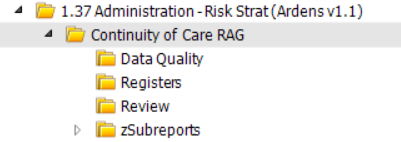
Registers
The registers support the initial segmentation of the patient population. They identify:
- Patients with a predicted RAG status based on coded data
- Patients who have already been clinically reviewed and recorded with a RAG status
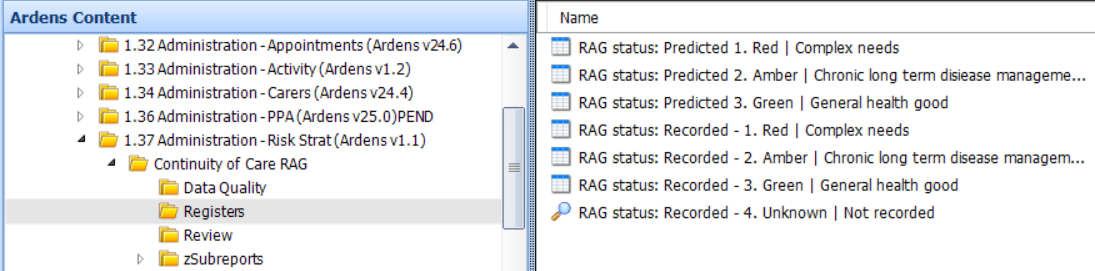
Predicted
Identifies patients who do not have a RAG status recorded. These reports use existing coded data within the patient record to suggest a Red, Amber, or Green status for clinical review and confirmation.
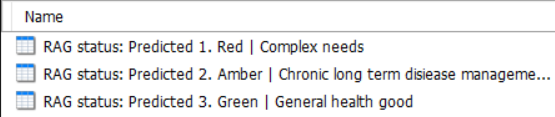
We recommend reviewing the patients identified in the report and recording the appropriate RAG status using the Ardens 'Continuity of Care' template.
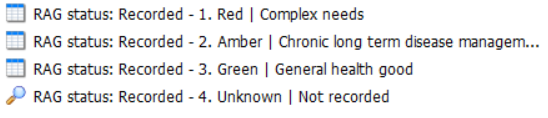
Recorded
Captures patients who have already been reviewed and appropriately coded with a RAG status, as well as those with unknown status. Patients without an unknown status will also appear in the Predicted RAG status reports.
The RAG status is based on the following criteria:
- Red: severe frailty, end of life or five or more long-term conditions.
- Amber: new cancer diagnosis in the last 12 months, moderate frailty, two to five long-term conditions.
- Green: none of the above criteria recorded, general good health.
⚠️ Please Note: Clinical judgement should always be applied when confirming or updating a patient’s RAG status.
For full instructions on implementing Continuity of Care at your practice, access the Continuity of Care - End-to-End User Journey support article.
Review
The Review reports support ongoing maintenance of RAG status. They identify patients who already have a recorded RAG status but whose circumstances may have changed and therefore require reassessment.
Recorded Housebound
Identifies patients with a previously recorded Amber or Green status who have since been coded as housebound. These patients may require a clinical review and an updated RAG status (for example, Red, where appropriate).
Recorded Nursing or Residential
Captures patients with any recorded RAG status who have subsequently been coded as living in a nursing or residential home. These patients should be reviewed to ensure their RAG status remains appropriate.
Appointment Activity
Identifies patients across RAG categories based on the number of appointments attended in the last 12 months. These patients may benefit from review and reassignment to a more appropriate RAG status if required.

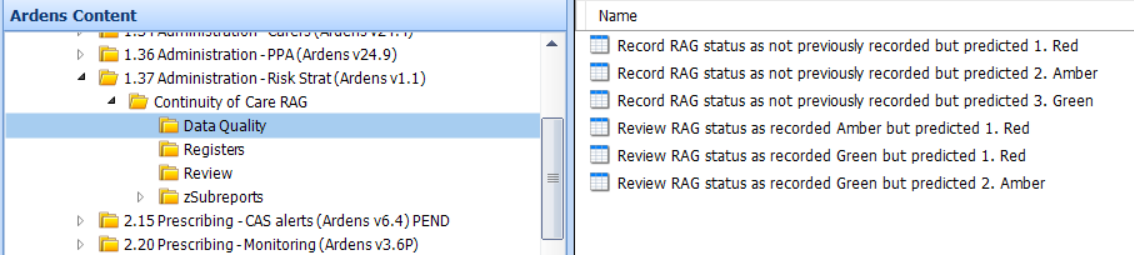
Data Quality
The Data Quality reports support accurate and up-to-date RAG coding. They identify:
- Patients appearing in Predicted RAG reports who have never had a RAG status recording.
- Patients whose subsequent coded data suggest their current RAG status may no longer be appropriate and require review
Record RAG Status
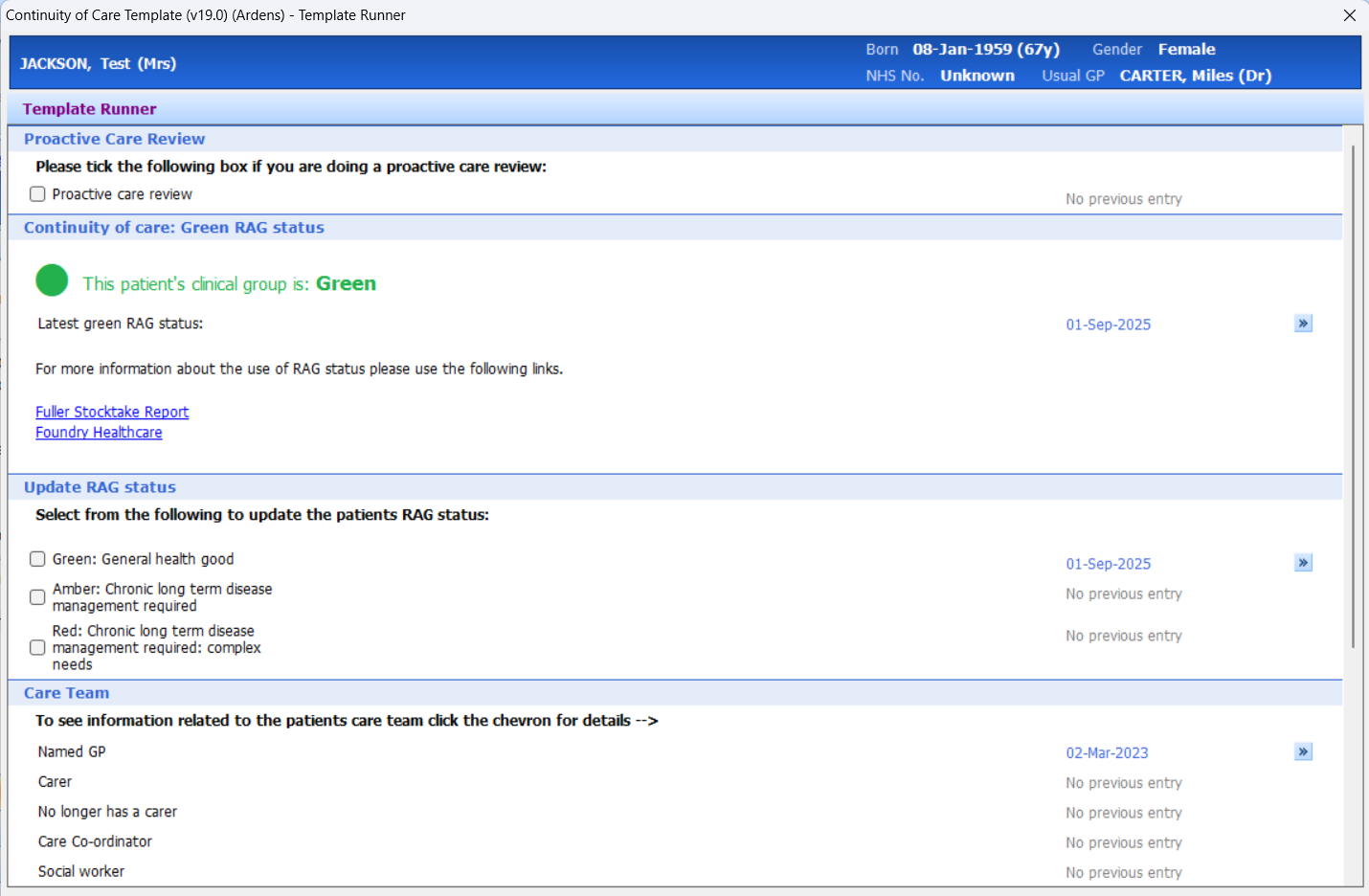
To support RAG status coding during patient segmentation, the Continuity of Care Template is available. Access the template via the Run Template option in an open consultation and search for Continuity of Care.
The template displays the patient’s current RAG status and allows it to be updated as required, while also providing key background information to support clinical decision-making.
Alerts
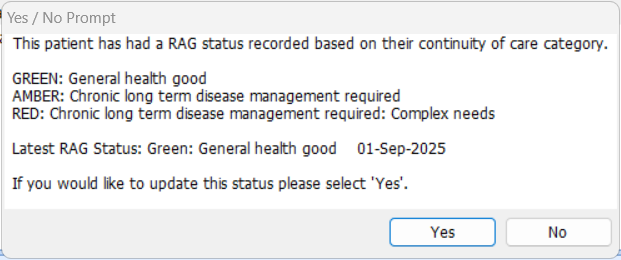
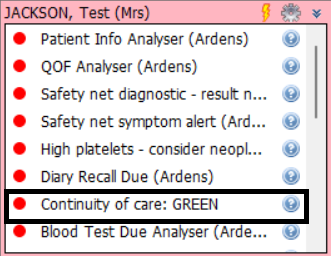
Alerts are available to prompt clinicians to review the patient’s current RAG status and update it where appropriate.
The alerts are deployed in an inactive state by default. To activate them (this only needs to be completed once by a user with appropriate permissions):
- Access Resource Publisher.
- Navigate to Shared folders > Ardens National Content > Optional Protocols > Continuity of Care (Foundry Model).
- Right-click and select Activate on the 'RAG / Continuity of Care Alert' and 'Continuity of Care: Patient Segmentation' protocols.
- Once active, the protocol will automatically launch when a patient record is loaded or updated.
Alert when saving a patient record:
Alert displaying in pink box:
Monitor
Ardens Manager provides a visual overview of Continuity of Care RAG status across practices, supporting population health management and strategic planning. It helps to:
- Identify trends and changes over time
- Support prioritisation and workforce planning
For guidance on accessing and using Ardens Manager and the risk stratification features, please refer to the following support article.
Additional Learning
To further your understanding of the risk stratification tools and how to make the most of Ardens resources:
- For a user-end-to-end guide to setting up, reviewing, and maintaining Continuity of Care RAG status, please refer to the Continuity of Care – End-to-End User Journey support article.
- Explore more helpful resources on our Support Site.
If you require any further assistance on the process above, please contact Ardens support on: support@ardens.org.uk