
TABLE OF CONTENTS
Introduction
This article explains how the Ardens Women's Health resources can support you in delivering structured, consistent Menopause and Hormone Replacement Therapy (HRT) care in primary care. By following these resources, clinicians can provide evidence-based care, ensure accurate documentation, and support quality improvement across their practice, PCN, or ICB.
Background
Menopause is a natural life stage, usually between 45–55, when periods stop due to hormonal changes. Many women experience symptoms during the perimenopause, which can affect daily life and work, including hot flushes, night sweats, poor sleep, low mood, anxiety, brain fog, joint aches and vaginal dryness. Guidance from the National Institute for Health and Care Excellence (NICE)supports offering HRT to suitable women following an individual discussion of benefits and risks.
This article is suitable for:
Clinicians
Practice Managers
Data Quality & Improvement Leads
How Ardens Can Help
Ardens provides structured menopause and HRT resources embedded within the clinical system to support consistent, high-quality care across the full patient pathway. The resources include:
- Clinical templates: Structured templates to support assessment, diagnosis and ongoing review.
- Prescribing formularies: Guidance to support safe, evidence-based and accurate prescribing.
- Reports: Dashboard to monitor activity.
How to Access our Resources
Templates & Formularies
- Press F12 on your keyboard.
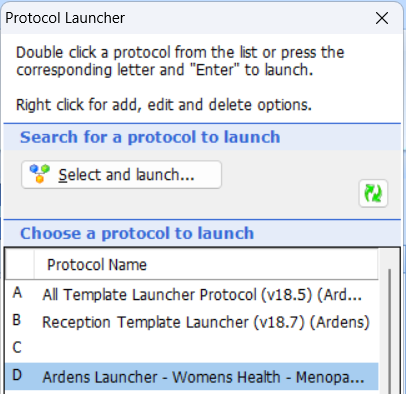
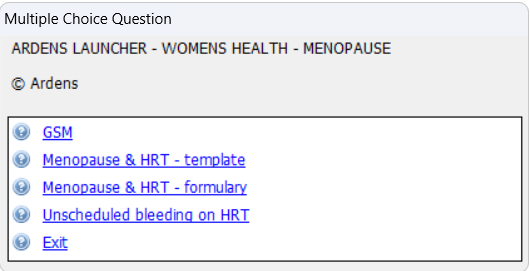
- Open the Ardens Launcher - Women's Health - Menopause template launcher (access this support article for instructions on using the Template Launchers).
- Alternatively, open a consultation and select Run Template and search for the Menopause & HRT - (Ardens NEW) template.
Consultation
The consultation focuses on structured clinical assessment, accurate coding and shared decision-making. The Menopause & HRT template guides clinicians through each required component to ensure best practice, comprehensive documentation and alignment with national guidance.
Initial Consultation
A clinical diagnosis of menopause or perimenopause is primarily clinical and based on the patient’s reported symptoms.
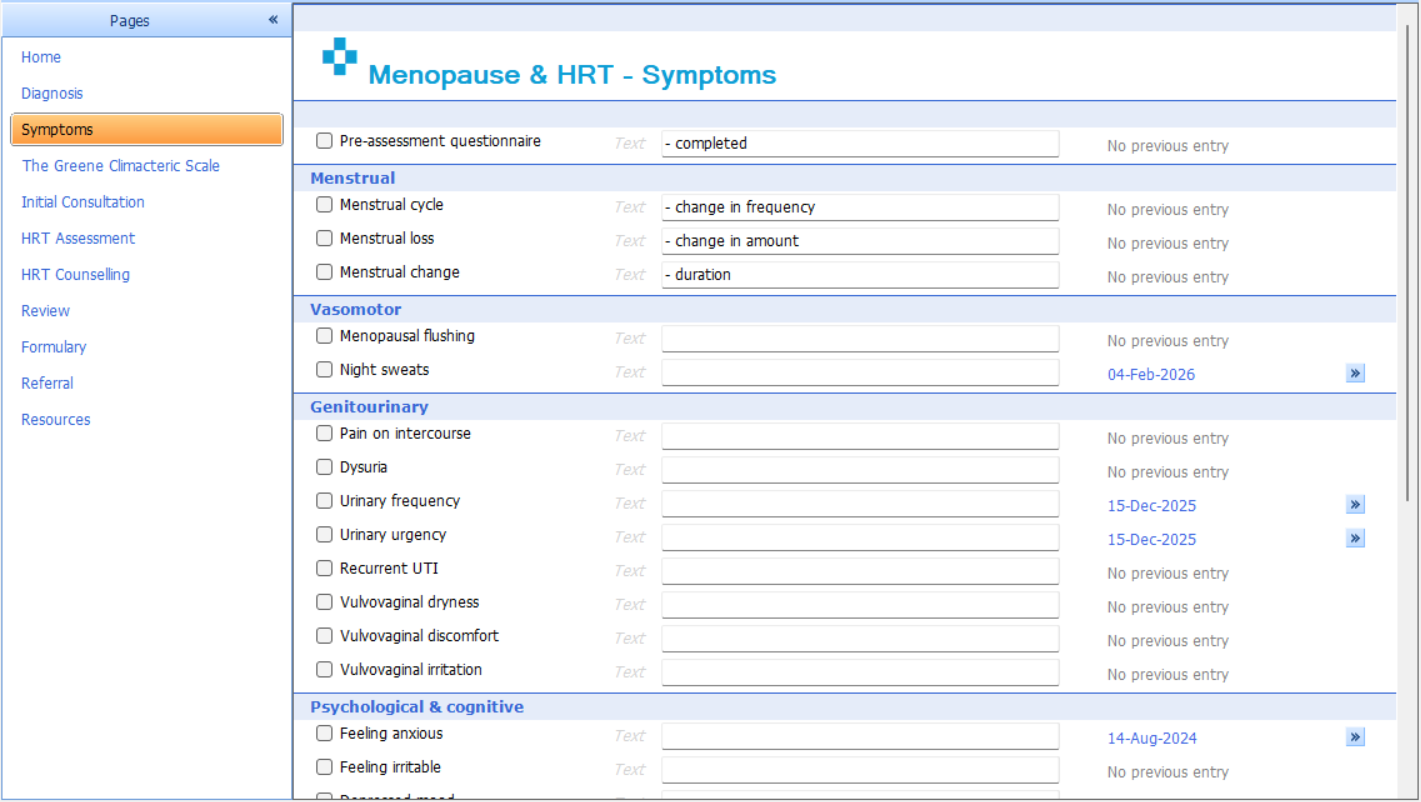
At the first presentation, clinicians are guided to use the Symptoms page to document the nature of the patient's symptoms. This is complemented by the Initial Consultation page, where relevant clinical findings and overall clinical impression are recorded.
Diagnosis
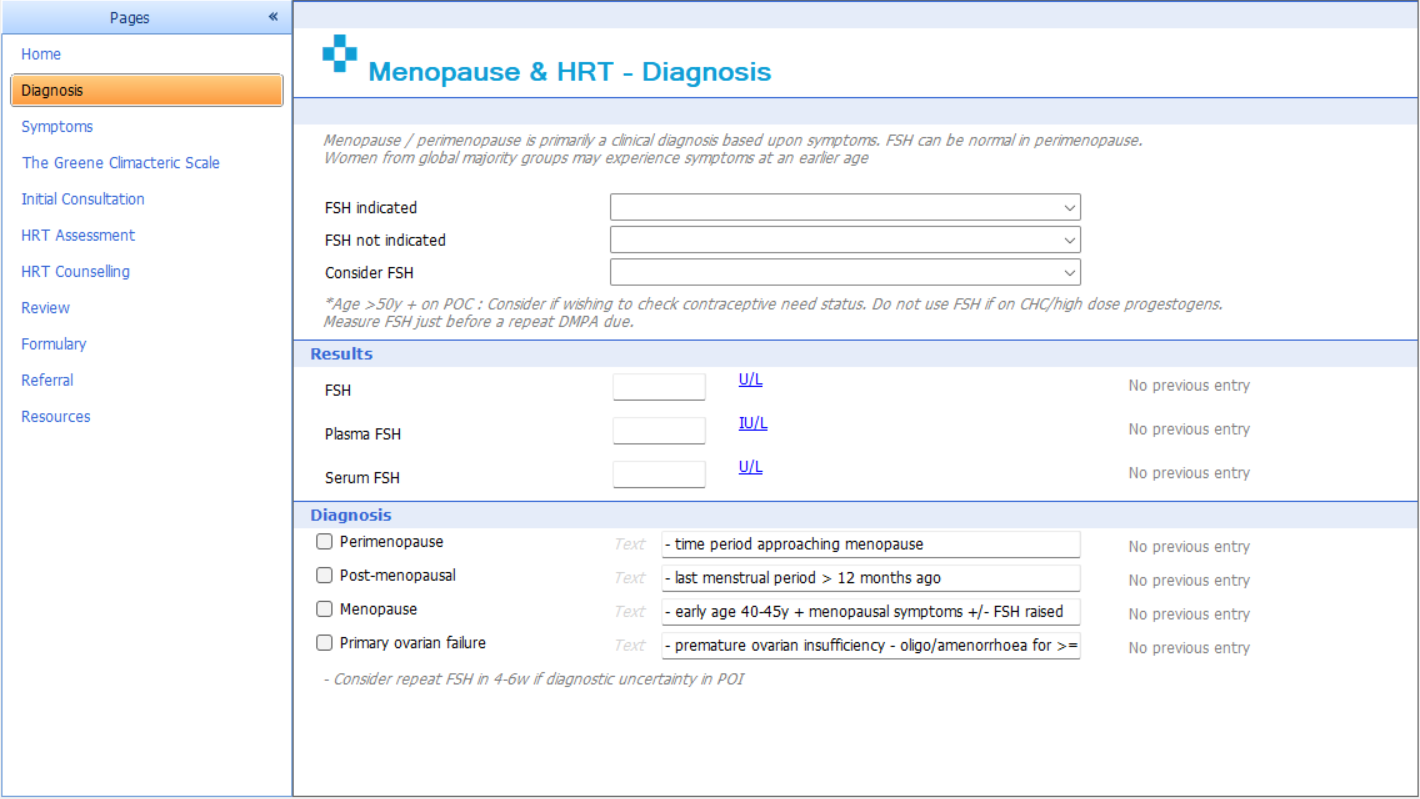
Clear diagnostic coding supports population health management, recall, audit and reporting. The menopause template enables accurate recording of menopause and perimenopause, plus considerations of repeat tests.
HRT Assessment & Counselling
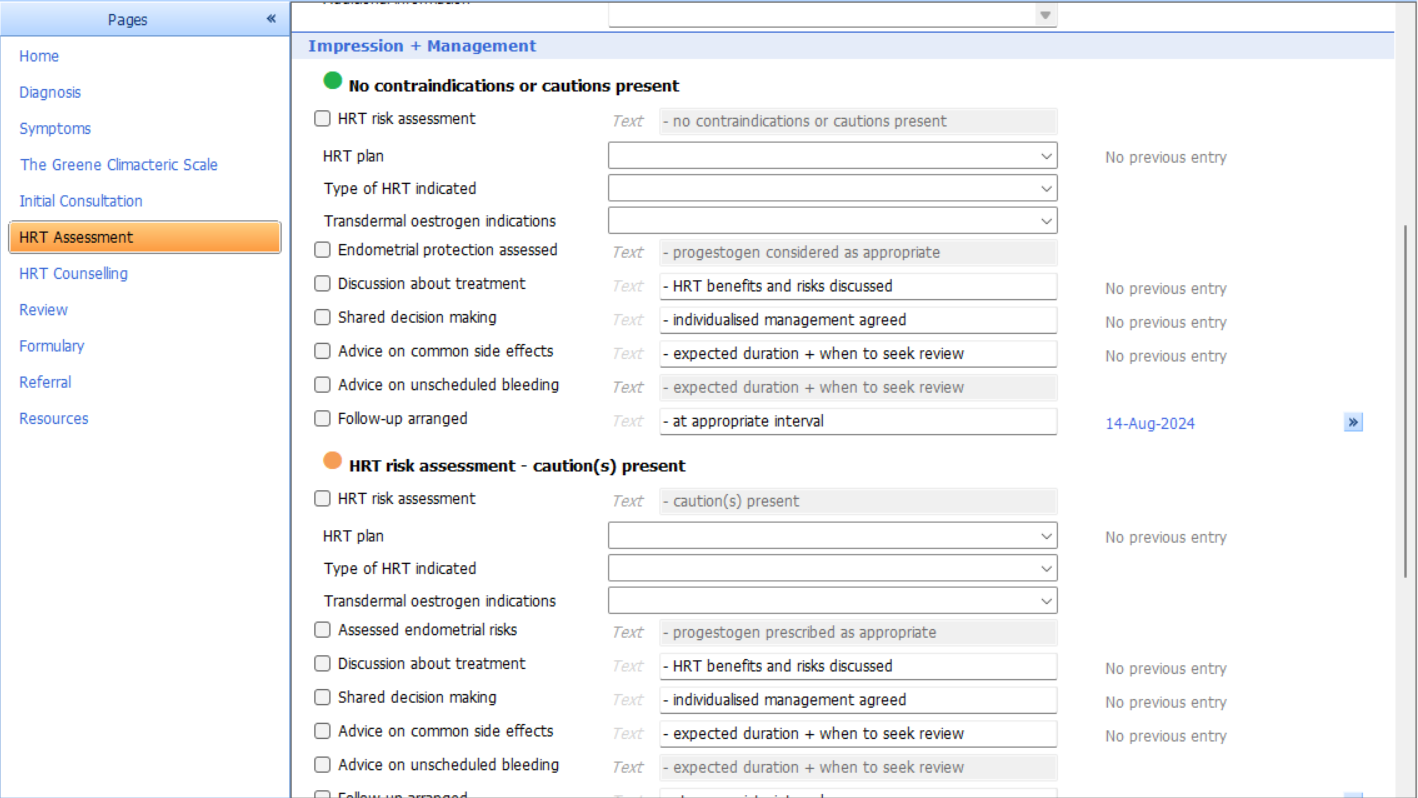
The HRT Assessment and Counselling section provides a structured framework to support safe and consistent decision-making. It incorporates preset options, clinical prompts, scoring tools and a traffic light risk stratification system to guide clinical impression, management planning and personalised counselling.
- Impression: Based on the traffic light system, which categorises patient risk: green indicates low risk, amber indicates moderate risk, and red indicates high risk.
- Management: Depending on the patient's risk or severity, appropriate management options are displayed. The clinician can then record advice, treatment, and follow-up actions.
Review
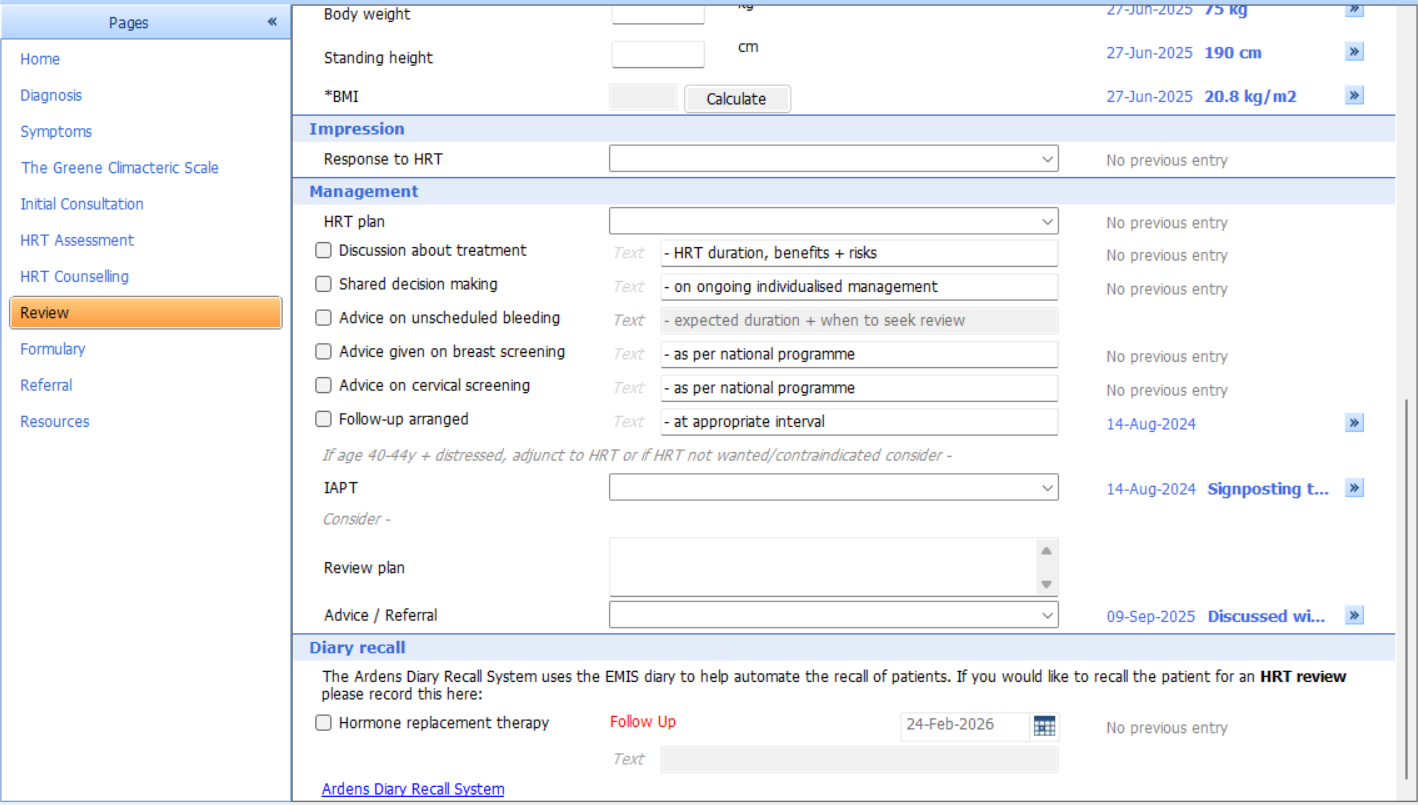
Following an assessment or diagnosis, and once a condition or need has been identified, a structured management plan can be implemented. This plan may include discussion around treatment or follow-up arrangements.
Formulary
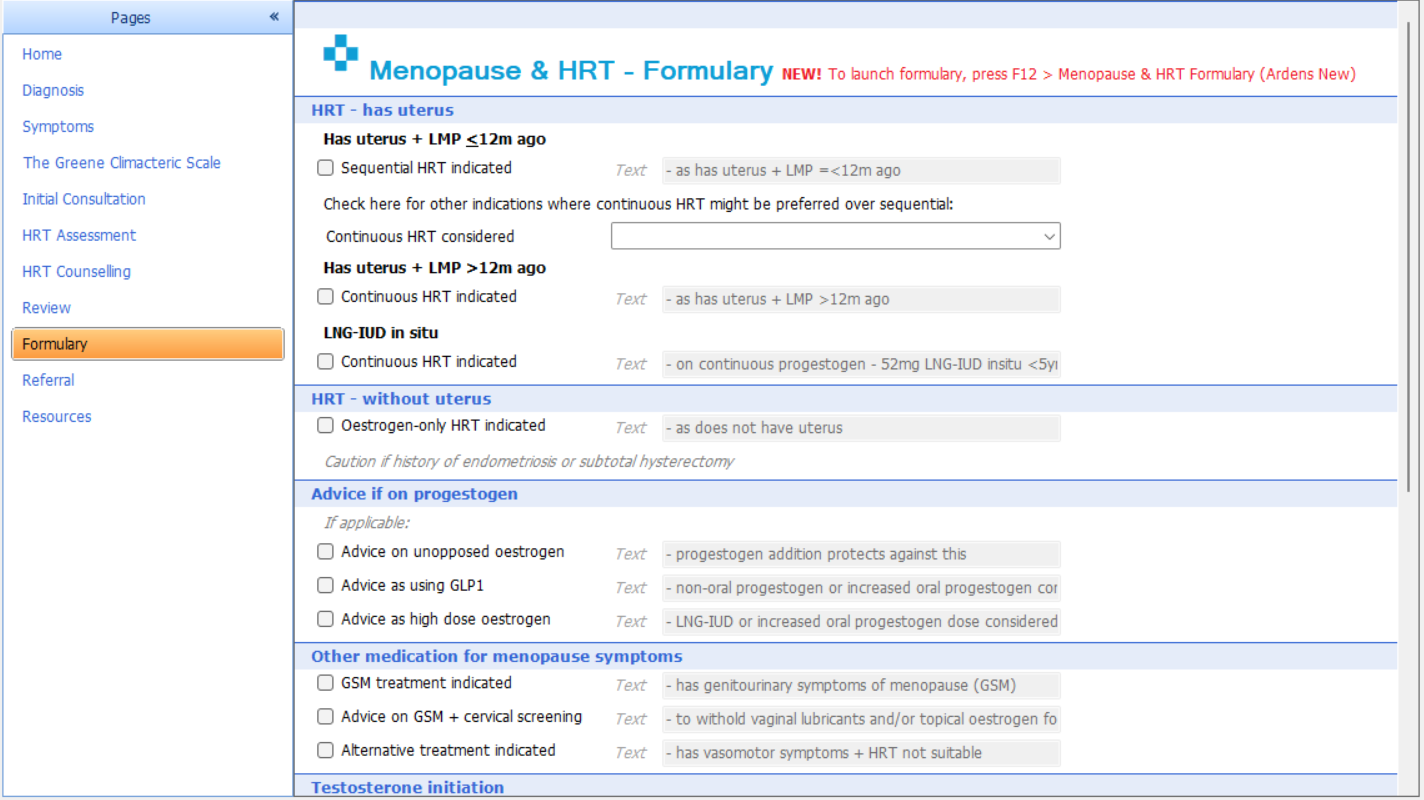
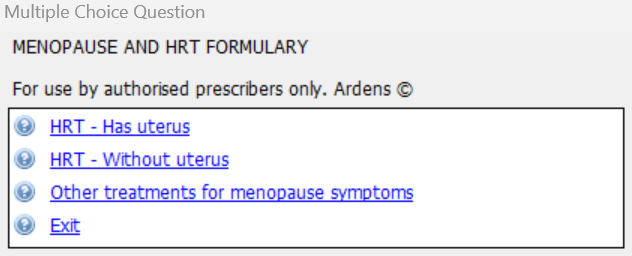
Clinicians can use the formulary to access prescribing guidance in line with the latest NICE recommendations. This supports safe, consistent, and effective prescribing across Menopause & HRT.
The Formulary section supports clinical decision-making by providing advice and guidance on which types of medications may be appropriate based on findings from patient consultations. It also ensures national prescribing policies are followed.
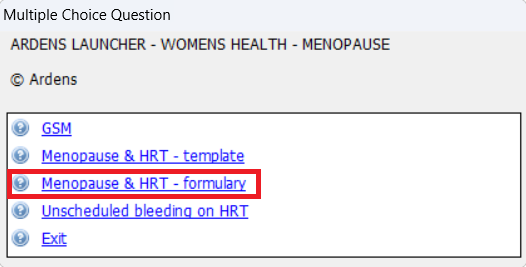
To issue medication:
- Press F12 on your keyboard.
- Open the Ardens Launcher - Women's Health - Menopause template launcher (access this support article for instructions on using the Template Launchers).
- Click Menopause & HRT - formulary and follow the prompts.
Referral
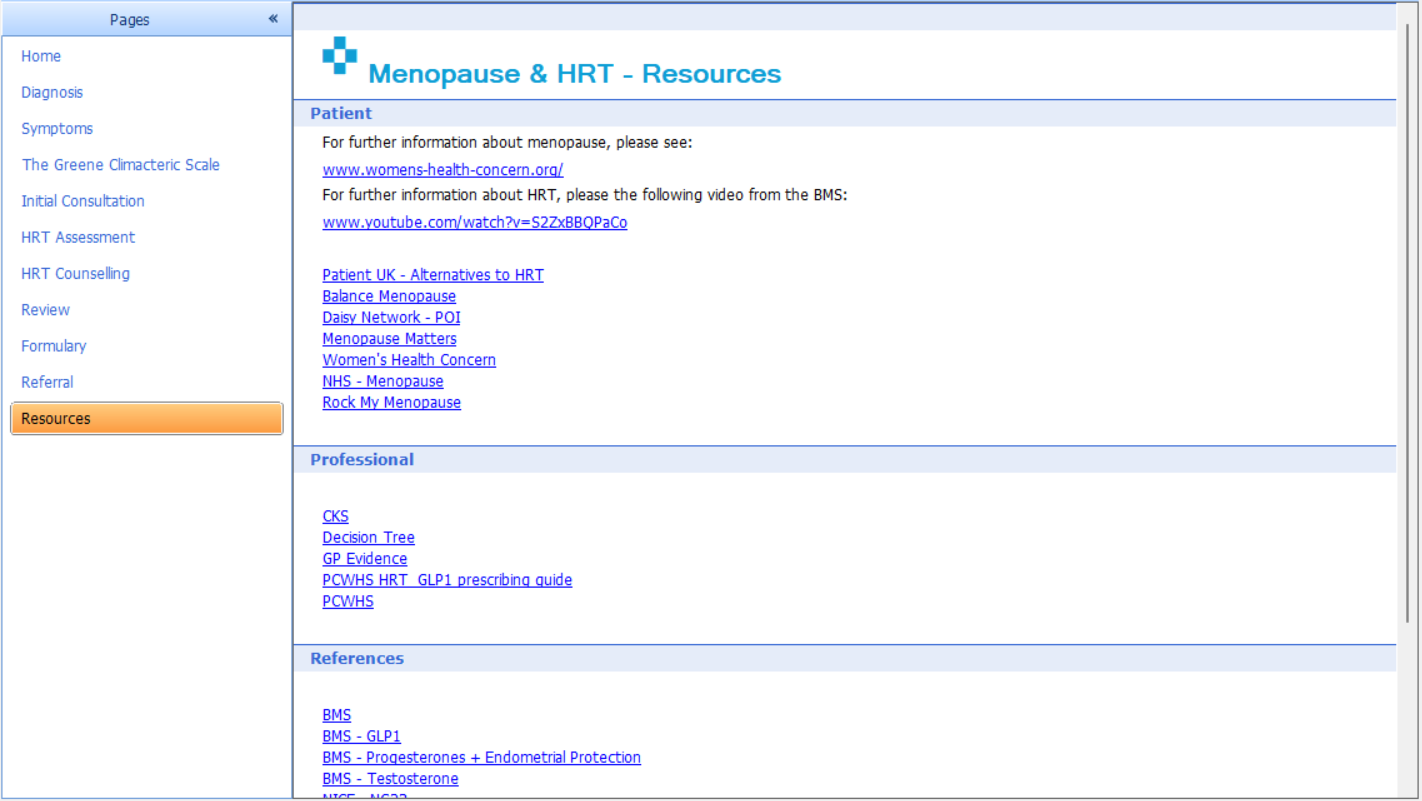
If a decision is made to refer the patient or if a clinician is uncertain about whether the patient meets the criteria for referral, the Referrals page can be used to assess and record criteria for referral according to the latest NICE guidance. This supports timely and appropriate escalation of care for patients.
⚠️ Please note: Practices should follow their local processes for generating referral documents and sending referrals once the template has been saved.
Evaluate
These resources help GP Practices, PCNs and ICBs to review patient outcomes and monitor practice activity on a visual dashboard.
Monitor
For Ardens Manager subscribers, the Women's Health dashboard provides a clear visual overview of menopause and perimenopause activity.
- Login to Ardens Manager.
- Go to Services on the left-hand pane.
- Click on Conditions.
- Click on Women's Health.
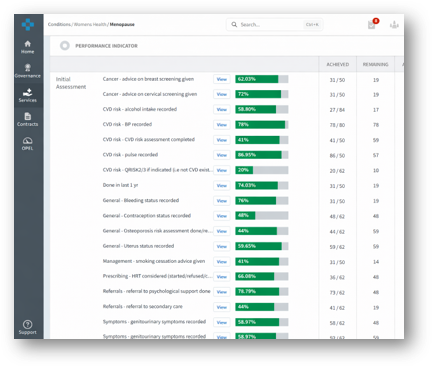
For further information on Women's Health dashboard, access this support article.
Additional Support
To further your understanding of the Women's Health resources and how to make the most of Ardens product:
- Register for our Women's Health webinar – covering key updates, practical demonstrations, and best practice tips.
- Explore more helpful Support Articles.
- Book training for your GP Practice, PCN or ICB.
If you require any further assistance on the process above, please contact Ardens support on: