
TABLE OF CONTENTS
Introduction
Background
How Ardens Can Help
- Recording symptoms and clinical indications
- Requesting FIT
- Reviewing outstanding or returned results
- Supporting clinical decision-making and referral pathways
- Recording safety netting and follow-up activity
- Accessing patient and professional guidance resources
- FIT consultation template
- NG12 Cancer Symptoms and Findings Analyser integration
- Clinical reports for identification and follow-up
- Cancer dashboards within Ardens Manager
How to Access our Resources
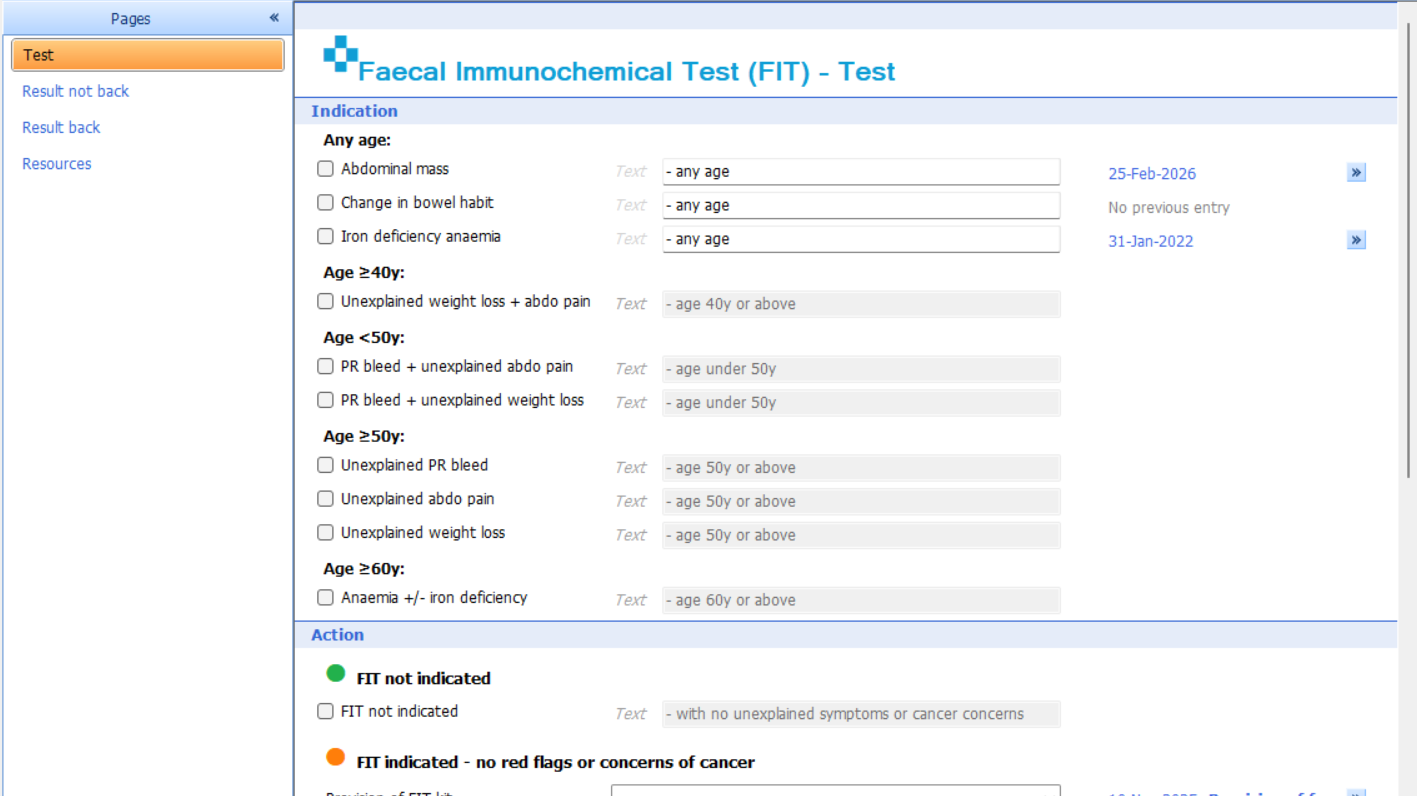
Template
- Press F12 on your keyboard
- Open the Gastroenterology template launcher (access this support article for instructions on using the Template Launchers)
- Select Faecal immunochemical testing
- Alternatively, open a consultation and select Run Template and search for the Faecal Immunochemical Testing
Reports
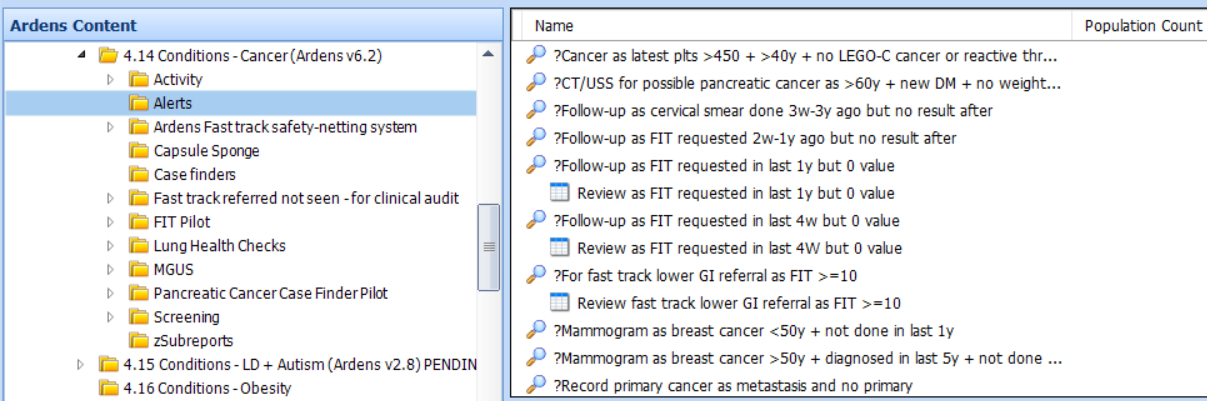
- Go to Population Reporting
- Expand the Ardens Searches folder
- Select 4.14 Conditions - Cancer
Test & Results
- Recording symptoms and indications
- Requesting FIT
- Reviewing outstanding results
- Recording returned results
- Documenting safety netting and follow-up
- Accessing patient and professional guidance resources
- Test
- Result not back
- Result back
- Resources
Test
- Recording relevant symptoms and indications
- Documenting FIT kit provision
- Requesting FIT tests electronically
- Recording safety netting discussions
- Documenting where FIT testing is not indicated
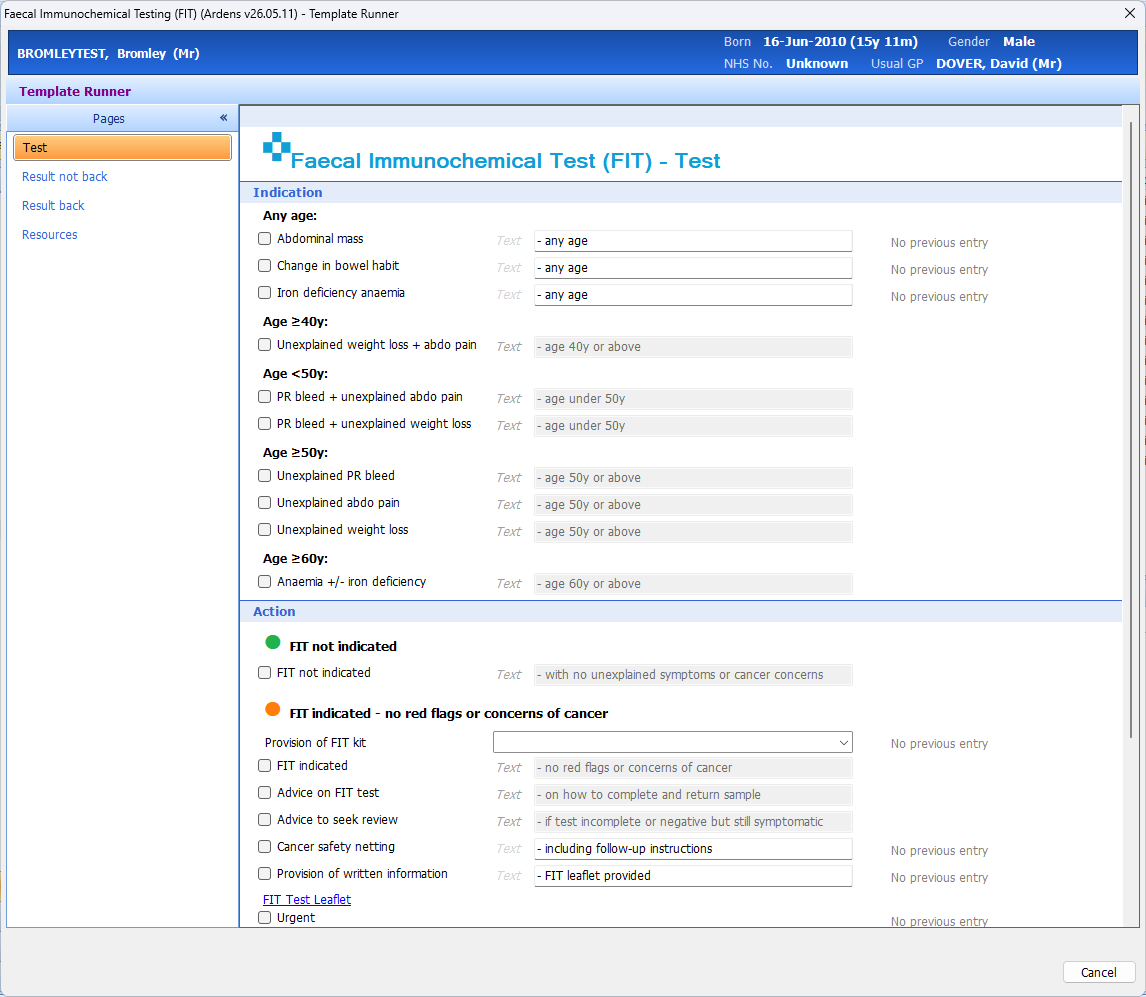
Within the Test page:
- Select the relevant indication(s) based on the patient’s symptoms and presentation
- Record whether a FIT kit has been provided
- Document any patient advice, safety netting or written information given
- Record where urgent review or escalation may be required
- The template uses colour-coded sections to support clinical decision-making and help guide the appropriate next steps based on the patient’s symptoms and cancer risk indicators
Result not back
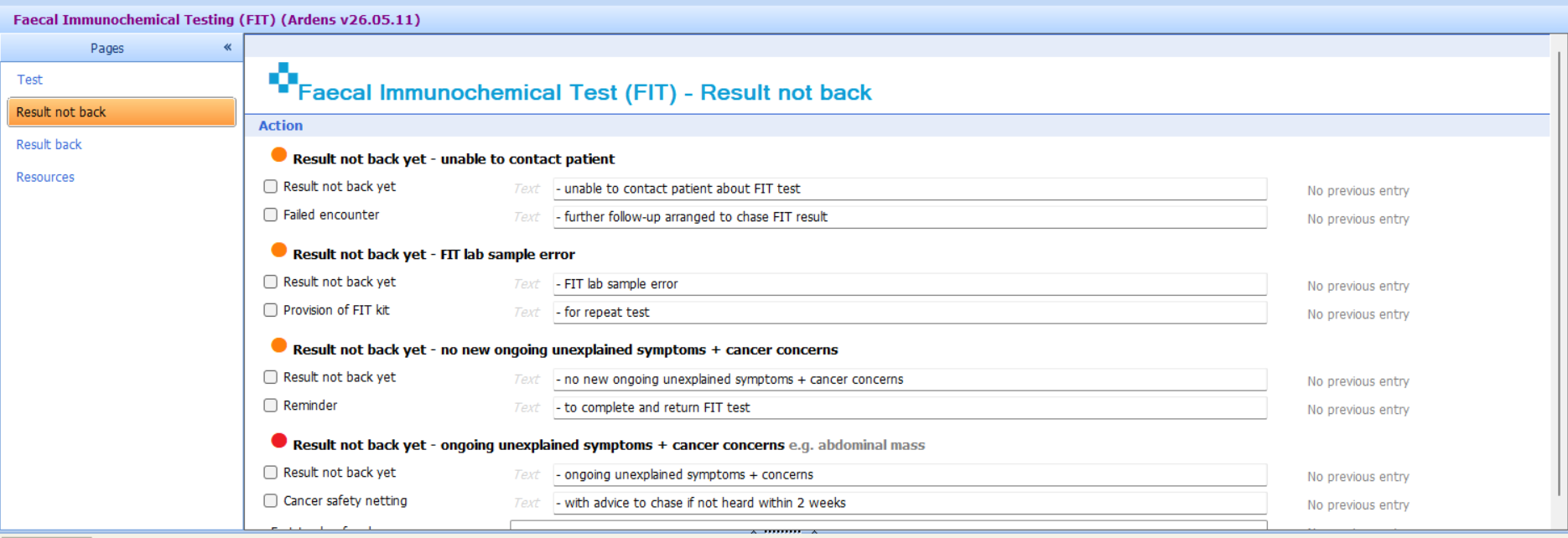
- Reminder and follow-up activity
- Documenting failed contact attempts
- Recording repeat FIT kit provision
- Arranging additional review where symptoms persist
- Supporting safety netting processes
- Reminder given
- Unable to contact the patient
- Sample error/repeat kit required
- Urgent suspected cancer referral where ongoing concerns exist
Result back
- Recording FIT results
- Reviewing results alongside symptoms and clinical concerns
- Documenting follow-up plans
- Recording referrals and safety netting
- Supporting ongoing clinical review
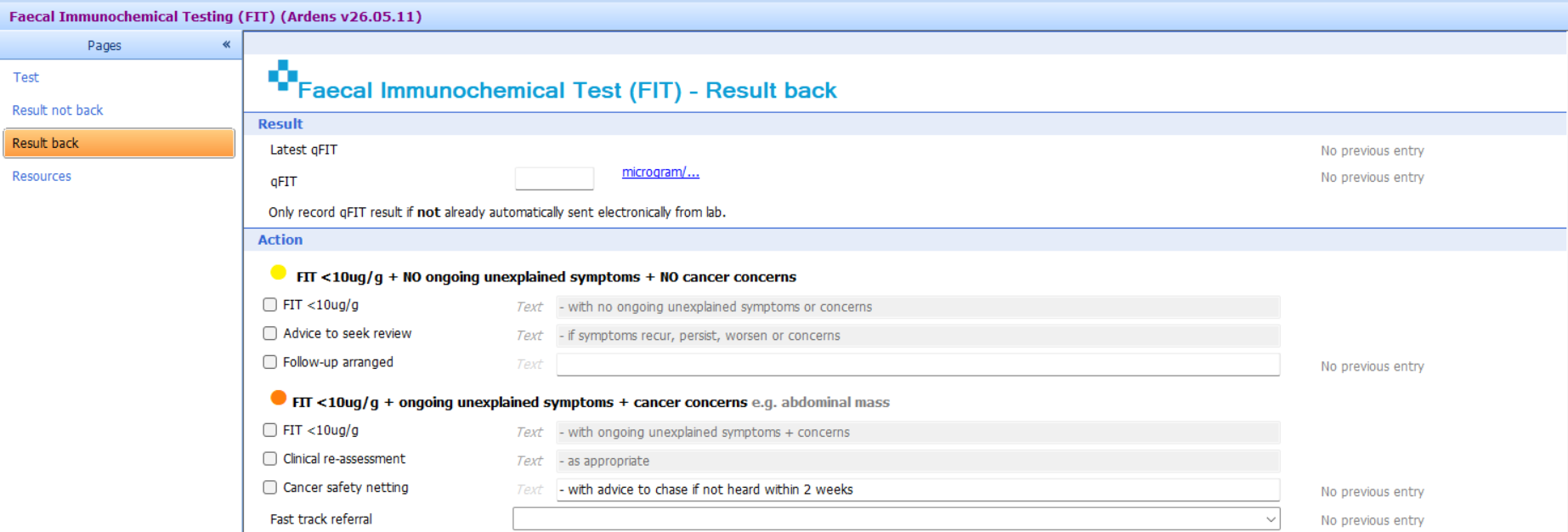
The latest qFIT result can be recorded at the top of the template if it has not already been received electronically from the laboratory.
The template then presents the appropriate management options based on the result and clinical context:
- FIT <10 µg/g with no ongoing unexplained symptoms or cancer concerns
- FIT <10 µg/g with ongoing unexplained symptoms or cancer concerns
- FIT ≥10 µg/g
For each pathway, clinicians can record:
- follow-up arrangements
- clinical reassessment
- cancer safety-netting
- urgent suspected cancer referrals where appropriate
The colour-coded sections provide clinical decision support and help ensure that appropriate actions are documented based on both the FIT result and the patient's ongoing symptoms.
At the bottom of the page, practices can optionally create a recall using the Ardens Diary Recall System.
This can be used where a repeat FIT test or further follow-up is required, helping ensure patients are reviewed at the appropriate interval.
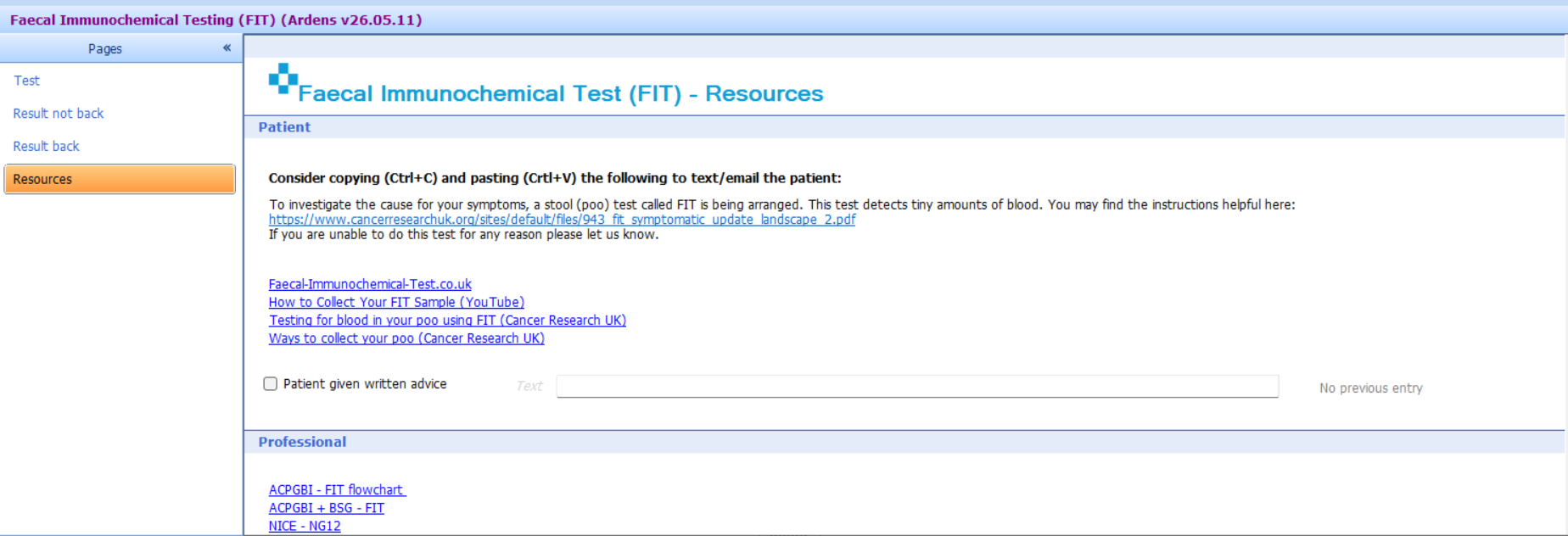
Resources
- Patient information leaflets
- FIT guidance websites
- Patient videos
- Professional guidance resources
- NICE and BSG guidance links
- Local guidance links where configured
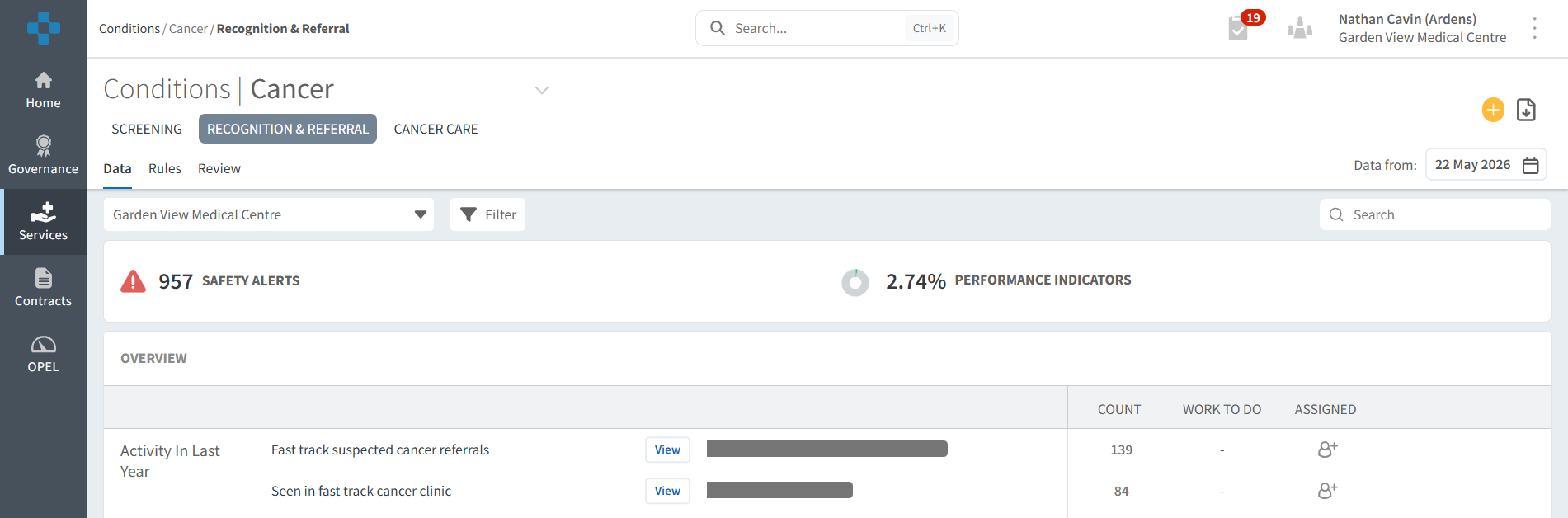
Monitor
- Login to Ardens Manager
- Go to Services on the left-hand pane
- Click on Conditions
- Click on Cancer
FIT - Pilot
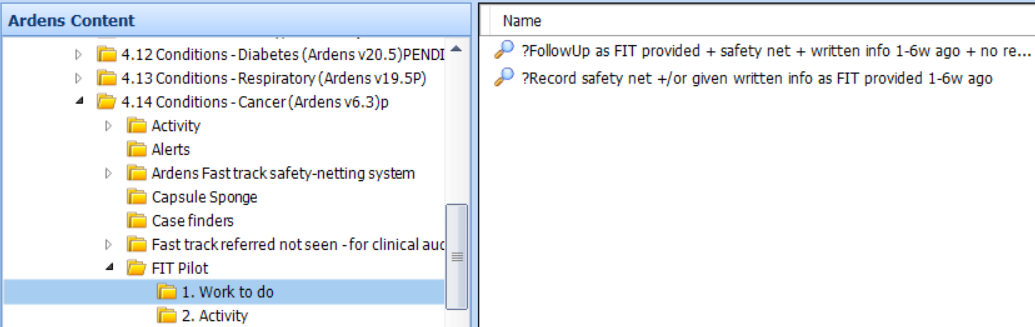
To record activity, clinicians are encouraged to use the Ardens "Faecal Immunochemical Test (FIT)" template.
Additional Support
- Book training for your GP Practice, PCN or ICB
- Contact our Support Team for support in real time