
TABLE OF CONTENTS
- Introduction
- 1. Data quality - Not predicted to be in extract
- 2. Activity - Predicted to be in auto-extract
- FAQ
- Additional Learning
Introduction
Background
The Ardens CQRS searches have been designed to support GP practices with optimising CQRS payments by addressing any potential coding errors which may affect payment. This will ensure the payment extracts via GPES are as accurate as possible. For a further understanding of how the CQRS payment system works, please see this support article.
How Ardens Can Help
- Identify eligible patients
- Monitor activity and submissions
- Highlight data quality issues
How to Access the Reports
- Go to Population Reporting.
- Expand the Ardens Searches folder.
- Select the 5.39 Contracts - ES + VI CQRS 2026-27 folder.
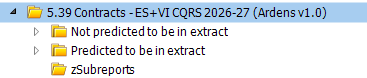
Please note: It is important to understand that Ardens CANNOT 100% replicate the business rules as some parts are not replicable within the restrictions of EMIS Web reporting. The reports provided are written as closely to the published rules as possible and GP practices need to take this into account when submitting claims.
1. Data quality - Not predicted to be in extract
These reports help identify coding gaps or inaccuracies that may affect CQRS submissions. Run these regularly to ensure patient records are complete and coded correctly before submission deadlines.
Action Reports
The reports look at activity in the last month, therefore if today's date is 2nd November, this will show activity for the month of October (if you need to run previous months you must set a relative run date).
We recommend the reports are run on the 1st of each month, ready for auto extraction around the 15th of each month.
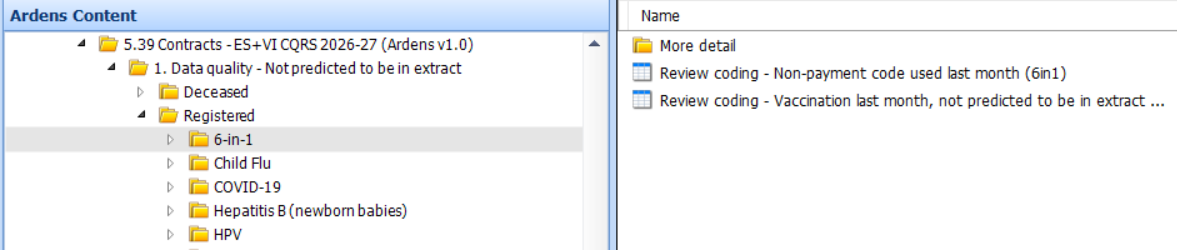
The reports include:
- Non-payment codes: the majority of reports identify patients with incorrect or missing codes, which will affect CQRS achievement.
- Eligibility or coding issues: some reports highlight patients who need additional coding to meet payment criteria (Pnuemo, Shingles, LD Health Checks).
- Incorrect timing: these identify patients vaccinated outside of the correct age of interval. These are for information only and can not be amended, patients will therefore remain on the reports. The reports may be useful for audit/training purposes (Hep B, PCV/Hib/MenC, Rotavirus).
- Other exclusions: Some searches highlight additional reasons patients may not be included, such as missing medication or other eligibility criteria (6-in-1, Child flu).
The report titles indicate the action required. Once a report has been run, click View Results on the EMIS ribbon to review the data, access patient records, and take appropriate action using the Ardens template (e.g. Childhood Vaccinations, Adult Vaccinations) for guidance on coding.
Once the information has been entered and the reports are re-run the patients will no longer display in the reports. There maybe occasions, however, where patients remain on the list if they have missed the age range.
Check and confirm claims
After the GPES extraction (around the 15th of each month) log onto the CQRS portal to check and confirm your claims.
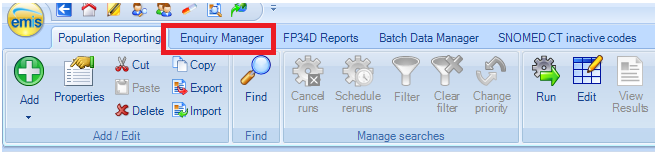
To view the CQRS automatic extraction via GPES in your clinical system, click on the Enquiry Manager tab located at the top of the Population Reporting screen.
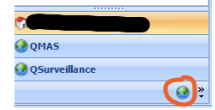
Click on the globe icon at the bottom of the left-hand panel.
And this will show your GPES extractions by month.
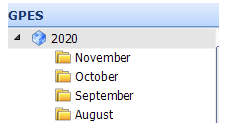
Select the month you wish to view (remember this is looking at previous month activity) and select View in Search Manager option on the EMIS ribbon. This will show the enhanced service (CQRS) extracted data, you can use the Patient Included tab to view the list of patients.
If there is a discrepancy and you believe that you should have been paid for that patient, you should then make a manual adjustment claim to CQRS.
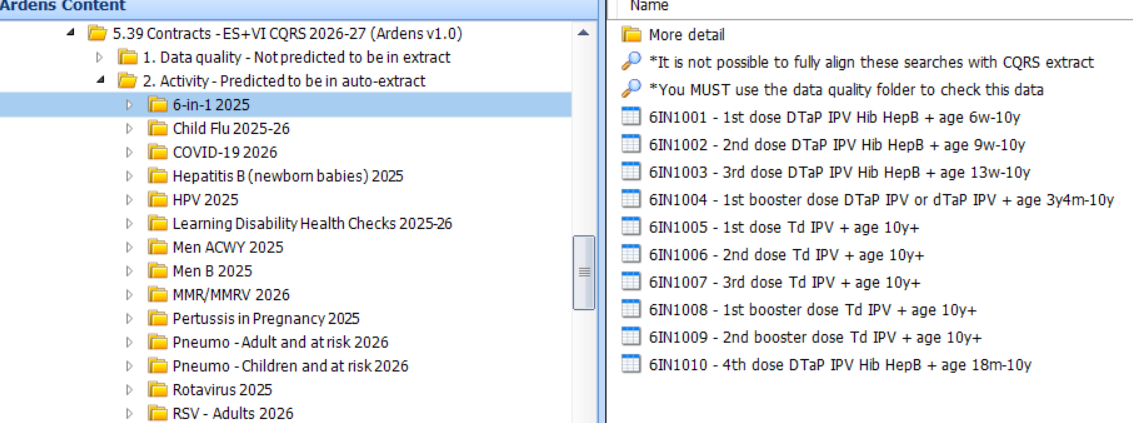
2. Activity - Predicted to be in auto-extract
These reports provide an estimated view of the total activity expected to be included within the auto-extraction process. The figures shown are intended as a guide only.
FAQ
Why do some patients still appear in the data quality reports after coding has been updated?
Patients may continue to appear if they fall outside the eligible age range or interval defined by CQRS business rules. In some cases, the activity cannot be amended retrospectively and the reports are retained for audit and training purposes.
When should CQRS reports be run?
We recommend running the reports on the 1st of each month. This allows practices time to review and correct any coding issues before the GPES auto-extraction typically takes place around the 15th of the month.
Why might there be differences between Ardens reports and CQRS payment figures?
Ardens reports are designed to mirror CQRS business rules as closely as possible; however, some NHS business rules cannot be fully replicated within EMIS Web reporting limitations. The reports should therefore be used as a guide to support coding accuracy and payment optimisation.
Additional Learning
- Explore more helpful Support Articles.
- Book training for your GP Practice, PCN or ICB.
If you require any further assistance on the process above, please contact Ardens support on: support@ardens.org.uk