
TABLE OF CONTENTS
Background
- Adults aged 75 years and over
- Residents in a care home for older adults
- Individuals aged 6 months and over who are immunosuppressed (as per the Green Book)
How Ardens can help
Ardens resources support practices in planning, notifying, delivering, and evaluating vaccination uptake.
- Ardens searches use SNOMED codes, while the Green Book uses clinical definitions
- Not all eligibility criteria translate directly into coded data
- Business rules for payment may differ from clinical eligibility
- Clinical judgement should guide decisions in ambiguous cases
How to Access our Resources
1. Go to Population Reporting.
2. Expand the Ardens Searches folder.
3. Select 3.11 Vaccinations - COVID Spring 26.
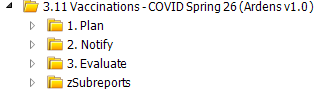
Plan
These resources help GP practices efficiently manage the COVID vaccination programme by identifying eligible patients, organising invitations and follow-ups - including special arrangements for care home and housebound patients.
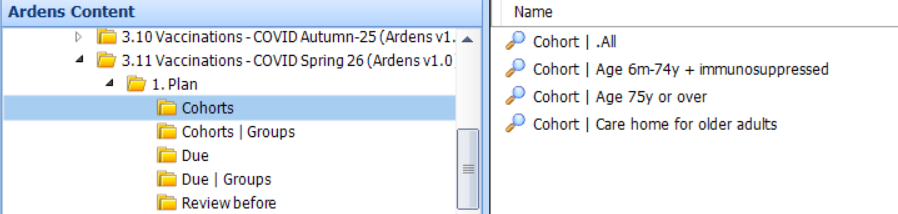
Cohorts
- Cohort reports: Shows the total number of patients in each eligible group, regardless of vaccination or declined status.
- Cohort groups: Shows the total number of patients by groups - asylum seekers, ethnic minority, homeless, housebound, learning disability, SMI and pregnant patients.
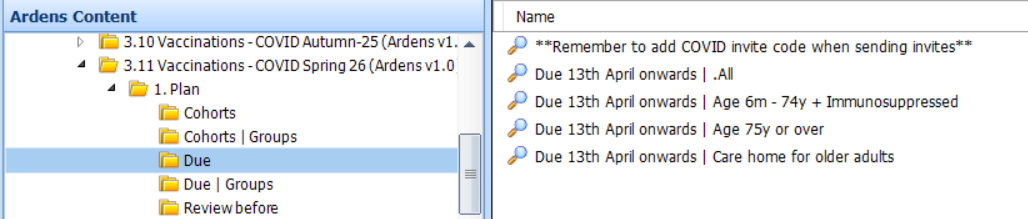
Due
These reports focus specifically on patients who are still outstanding for vaccination.
- Due reports: Shows the total number of patients and by each eligible group. It will exclude those patients that have already had their vaccine or have declined or contraindicated.
- Due groups: Shows the total number of patients by groups - asylum seekers, ethnic minority, homeless, housebound, learning disability, SMI and pregnant patients.
⚠️ Please note:
- Patients will not appear in the Due reports until they are 3 months past their previous vaccine dose.
- Patients may appear in more than one cohort. These reports do not remove patients once invite codes are added, so using them for invites may result in duplicate communications.
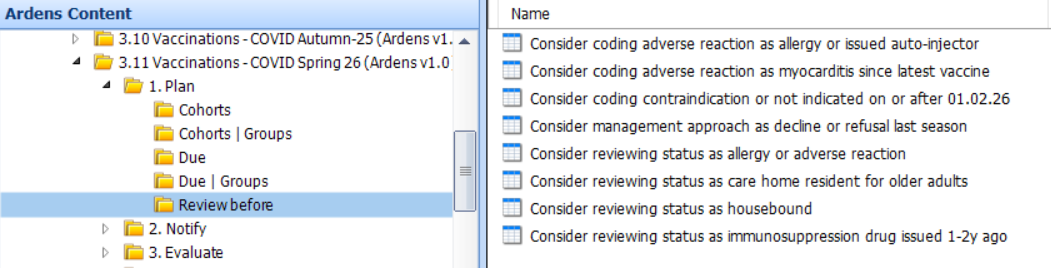
Review before
- Consider coding adverse reaction as allergic reaction or issued auto-injector: Highlights any patients coded with a history of an anaphylaxis or anaphylactoid reaction, or who have had an adrenaline auto-injector issued. Consider coding an adverse reaction.
- Consider coding contraindication: Identifies patients with a previous contraindication code recorded. Code for this season if appropriate.
Notify
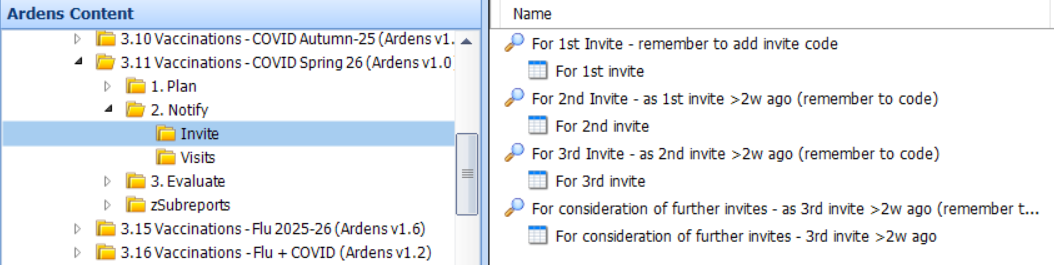
Invites
- All cohort
- Patients with LD, SMI, Dementia, End of Life, or Reasonable Adjustments
- Contact method (SMS, email, letter, none)
You can export invite lists to CSV and send messages using Accurx, or another third-party platform. Please see this support article for further information on how to do this.
SARS-CoV-2 (severe acute respiratory syndrome coronavirus 2) vaccination telephone invitation | 1402931000000100 |
SARS-CoV-2 (severe acute respiratory syndrome coronavirus 2) vaccination first telephone invitation | 1402941000000109 |
SARS-CoV-2 (severe acute respiratory syndrome coronavirus 2) vaccination second telephone invitation | 1402951000000107 |
SARS-CoV-2 (severe acute respiratory syndrome coronavirus 2) vaccination third telephone invitation | 1402961000000105 |
SARS-CoV-2 (severe acute respiratory syndrome coronavirus 2) vaccination invitation email | 1403101000000104 |
SARS-CoV-2 (severe acute respiratory syndrome coronavirus 2) vaccination invitation first email | 1403111000000102 |
SARS-CoV-2 (severe acute respiratory syndrome coronavirus 2) vaccination invitation second email | 1403121000000108 |
SARS-CoV-2 (severe acute respiratory syndrome coronavirus 2) vaccination invitation third email | 1403131000000105 |
SARS-CoV-2 (severe acute respiratory syndrome coronavirus 2) vaccination invitation letter | 1402921000000102 |
SARS-CoV-2 (severe acute respiratory syndrome coronavirus 2) vaccination invitation first letter | 1403071000000108 |
SARS-CoV-2 (severe acute respiratory syndrome coronavirus 2) vaccination invitation second letter | 1403081000000105 |
SARS-CoV-2 (severe acute respiratory syndrome coronavirus 2) vaccination invitation third letter | 1403091000000107 |
SARS-CoV-2 (severe acute respiratory syndrome coronavirus 2) vaccination invitation SMS text message sent | 1240781000000106 |
SARS-CoV-2 (severe acute respiratory syndrome coronavirus 2) vaccination invitation short message service text message | 1403031000000106 |
SARS-CoV-2 (severe acute respiratory syndrome coronavirus 2) vaccination invitation first short message service text message | 1403041000000102 |
SARS-CoV-2 (severe acute respiratory syndrome coronavirus 2) vaccination invitation second short message service text message | 1403051000000104 |
SARS-CoV-2 (severe acute respiratory syndrome coronavirus 2) vaccination invitation third short message service text message | 1403061000000101 |
Visits
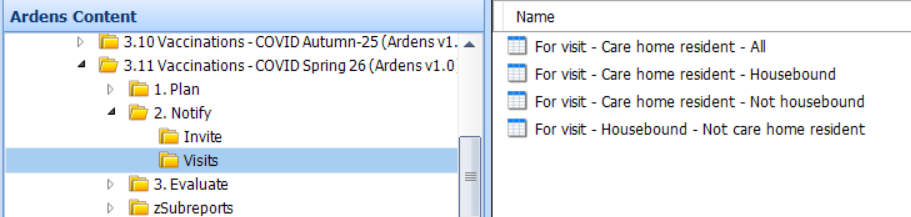
Separate visit reports are provided for housebound and care home residents to support planning outside of general invite workflows:
- Care home residents (housebound / not housebound)
- Housebound but not in a care home
Deliver
To support vaccine delivery and ensure accurate coding, protocols and a template are available to enable consistent and efficient documentation.
Administer
Before clinicians can begin using the protocol, you must first ensure it is fully edited with the relevant vaccination details (e.g. batch numbers,expiry dates). For step by step guidance, please refer to this support article.
Once edited, each clinician will need to add the protocol to their F12 key.
- Open a patient record and press F12.
- Right-click on an available letter or number, then select Add.
- Search for and select the saved "Seasonal vaccinations – COVID-19" protocol (name will be the new saved name of the protocol).
The protocol is now ready for use:
- Press F12 and select the " Seasonal vaccinations – COVID-19" protocol.
- This will launch a consultation window. Update the Consultation Properties screen if required.
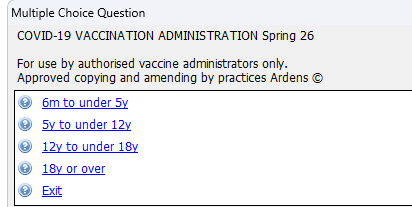
- A multiple-choice prompt will appear—follow the on-screen prompts to enter the appropriate vaccine information into the patient record.
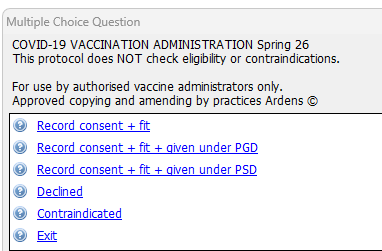
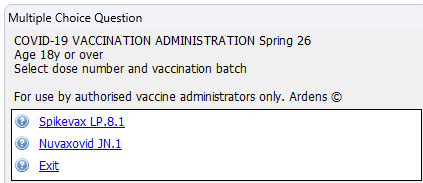
Once you have completed entering the information for the COVID-19 vaccination, the protocol will prompt you to indicate whether you would like to also record administration of the RSV vaccination. Selecting 'Yes' will open the RSV protocol, selecting 'No' will close the protocol.
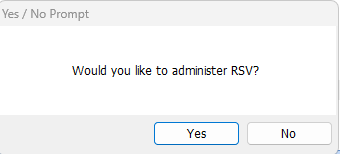
⚠️ Please note if you are co-administering RSV and COVID vaccinations, for this prompt to navigate to your copied RSV protocol (where you have updated the batch numbers), you must edit this node within the protocol. For information on how to do this please see this support article.
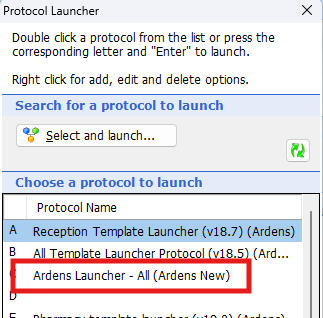
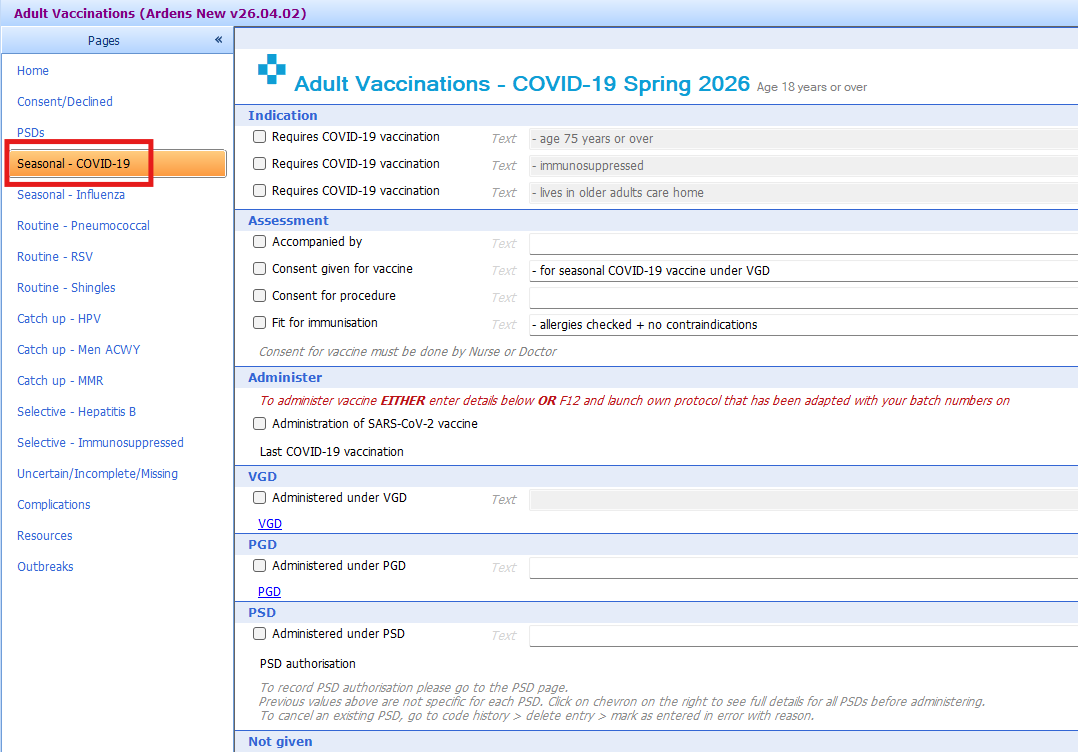
Alternatively, users can record vaccine administration using the Ardens Adult Immunisations template. To access this template, either select Run Template from the ribbon and search for Adult Immunisations, or use the F12 Ardens Launcher - All (Ardens New) template launcher protocol.
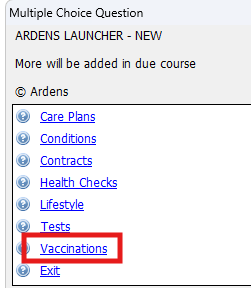
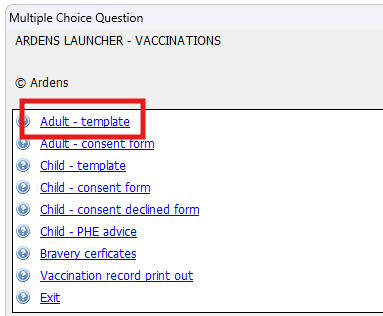
Open the Seasonal - COVID-19 page and complete as required.
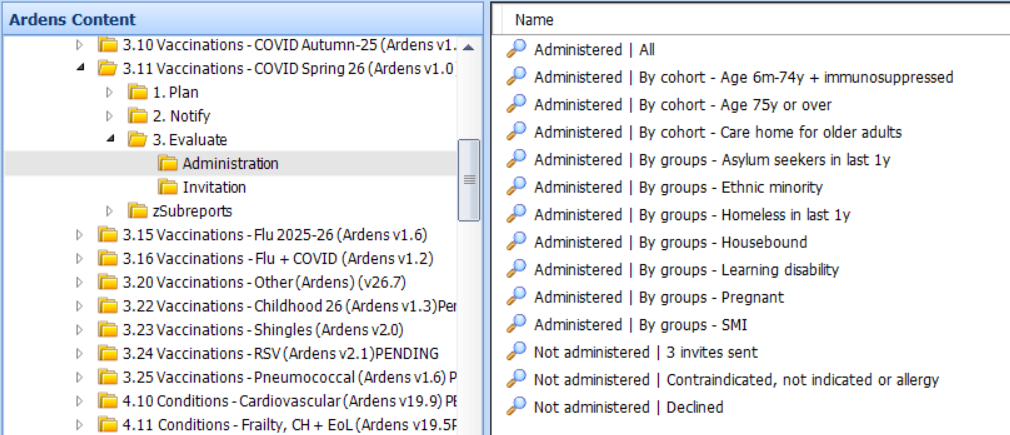
Activity
- Administration- Monitors vaccine uptake for all cohorts and those not administered due to no response, contraindications and declines.
- Invitation - Highlights the number of invitations sent.
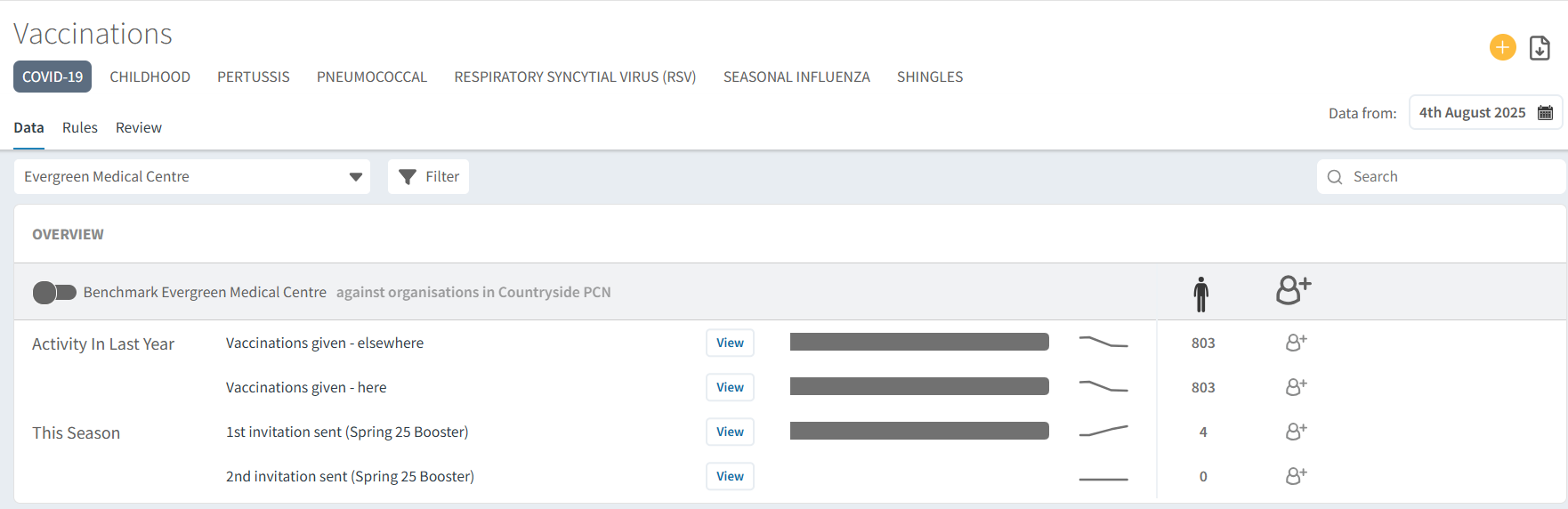
- Eligible cohorts
- Number of invitations sent
- Vaccination uptake rates
- Clinical risk groups
- Low uptake groups

To further your understanding of the flu vaccination programme and how to make the most of Ardens resources:
- Explore more helpful resources in our Vaccination Support Articles